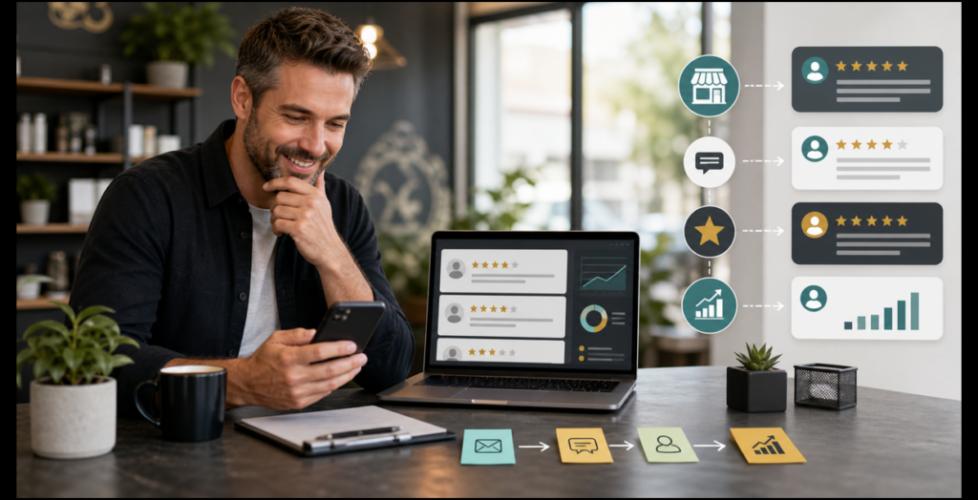
How to Build a Google Review Workflow That Helps Local SEO
Google reviews are not just a nice thing to have on a local business profile.
They are often the first proof a customer sees before they call, book, ask for a quote, or compare you against another business. Reviews show whether real customers trust you, whether your business is active, what problems you solve, and how you handle feedback.
That is why review management should not be treated like a random reminder whenever business feels slow. It should be a simple workflow.
The goal is not to chase fake stars or pressure customers. The goal is to make it easier for happy customers to leave honest feedback, respond to reviews with care, and use the language customers already give you to improve your local marketing.
Here is a practical Google review workflow a small business can start using this week.
Step 1: Check the review path before asking anyone
Before asking for more reviews, make sure the path is clean.
Open your Google Business Profile and check:
- The business name, address, service area, phone number, hours, and website link.
- The primary category and service categories.
- The review link you plan to send customers.
- Whether the profile points to the best page on your website.
- Whether photos, services, and business details still match what you actually sell.
This matters because a review request can send people back to your profile. If the profile is incomplete, outdated, or confusing, the customer may not leave the review. Worse, a new buyer may see the profile and hesitate.
Recent Google Business Profile updates and AI-assisted profile content also make this check more important. If Google adds or suggests services, descriptions, or details that are not accurate, the business owner still needs to catch it.
Review growth works better when the profile itself is already trustworthy.
Step 2: Pick the right moment to ask
The best review request is tied to a real customer moment.
Good moments include:
- Right after a completed project.
- After a customer compliments the work.
- After a successful service call.
- When a repeat customer says they are happy.
- After a problem is solved well.
- After a customer sends a positive text or email.
Bad moments include:
- Before the customer has experienced the result.
- During an unresolved complaint.
- In a mass blast to everyone in the database.
- After months of silence with no context.
The timing should feel natural. A local business does not need a complicated campaign to start. It needs a clear rule for when the team asks.
For example: “If the customer says they are happy at the end of the job, we send the review link the same day.”
That one rule is already stronger than hoping people remember.
Step 3: Write a review request that sounds human
A good review request is short, specific, and easy to act on.
Try this format:
“Thanks again for choosing us. If you feel good about the work, would you be willing to leave a quick Google review? It helps local customers know what to expect before they call.”
Then include the direct review link.
The message should not offer a reward, write the review for the customer, or tell them exactly what to say. That can create policy and trust problems.
You can make the request easier by reminding the customer what kind of experience they had:
- The service they booked.
- The city or neighborhood.
- The problem that was solved.
- The team member who helped.
- The part of the process they appreciated.
For example:
“If you mention what it was like working with us on the website redesign, that would help other Savannah business owners understand the process.”
That gives the customer a useful prompt without scripting the review.
Step 4: Respond to every review with care
The review is not the end of the workflow.
The response is part of the public proof.
A simple positive review response can follow this structure:
- Thank the customer by name if appropriate.
- Mention the service or outcome.
- Add one specific human detail.
- Close naturally.
Example:
“Thank you for the kind words. We enjoyed helping with the Google Business Profile cleanup and local SEO path. It means a lot that the process felt clear and useful.”
A negative or mixed review needs more care. Do not argue, reveal private details, or write a defensive essay. A better structure is:
- Acknowledge the concern.
- Stay calm and brief.
- Offer a direct offline next step.
- Avoid blaming the customer.
Example:
“Thank you for sharing this. We are sorry the experience did not feel as smooth as it should have. Please contact our team directly so we can review what happened and work through the next step.”
Review responses show future customers how the business behaves when people are watching.
Step 5: Build a weekly review check
A review system does not need to be daily.
For many small businesses, a weekly 15-minute review check is enough.
Use the same checklist each week:
- Did any new Google reviews come in?
- Did we respond to each one?
- Were any issues mentioned more than once?
- Did customers use words we should add to the website?
- Did anyone mention a service, location, team member, speed, quality, price, communication, or trust signal?
- Are there customers from the past week who should receive a review request?
The key is consistency.
A steady review rhythm beats a panic campaign every few months.
It also connects review management with the broader work of keeping the Google Business Profile active. Dawg Haus covered that kind of cadence in the Google Business Profile weekly checklist.
Step 6: Use review language to improve local SEO
Reviews can teach you what customers actually care about.
Look for phrases like:
- “showed up on time”
- “answered all my questions”
- “easy to work with”
- “helped us understand the process”
- “great for our Savannah business”
- “clear communication”
- “fast response”
- “worth the investment”
Those phrases are useful because they are natural. They sound like the customer, not a keyword spreadsheet.
You can use those patterns to improve:
- Website service pages.
- FAQ sections.
- Google Business Profile posts.
- Sales follow-up emails.
- Social captions.
- Ad copy.
- Local landing pages.
For example, if customers keep praising response time, your website should probably explain your response process. If customers keep mentioning a location, the right local page may need stronger proof. If reviews mention confusion before the project, your FAQ should answer that concern earlier.
That is where review management starts supporting local SEO in Savannah and nearby service areas. You are not stuffing keywords. You are using real customer language to make pages clearer.
Step 7: Connect reviews to follow-up automation
The easiest review system is usually part manual and part automated.
Automation can help with:
- Sending the review link after a project is marked complete.
- Reminding the team to ask at the right moment.
- Tagging happy customers in the CRM.
- Sending a follow-up if the customer does not respond.
- Alerting the owner when a new review appears.
- Tracking review requests by service type or location.
But automation should not remove judgment.
Sensitive accounts, unhappy customers, refunds, service issues, and negative feedback need human review. The best system speeds up routine work while giving the business owner control where it matters.
If leads, appointments, review requests, and customer follow-up already live in different places, it may be time to connect the workflow with business automations.
Step 8: Add reviews into the full local marketing system
Reviews work best when they connect to the rest of the buyer path.
A customer may:
- Find the business in Google Maps.
- Read reviews.
- Click to the website.
- Compare service pages.
- Check social proof.
- Watch a short video.
- Fill out a form.
- Receive a follow-up text or email.
- Book a call.
If the reviews are strong but the website is confusing, leads leak.
If the website is strong but the profile looks neglected, leads leak.
If the profile and website are strong but nobody follows up, leads leak.
That is why review management belongs inside a broader local marketing services system. The review is one trust signal, but it should support the profile, website, content, ads, and follow-up path.
A simple weekly review workflow
Here is the whole system in one simple loop:
- Monday: Check new reviews and respond.
- Tuesday: Send review requests to customers from completed work.
- Wednesday: Pull one useful customer phrase into your content notes.
- Thursday: Update a Google Business Profile post, FAQ, or service page based on repeated questions.
- Friday: Review whether requests, responses, and follow-up happened.
That workflow can be handled in under an hour per week.
The point is not to become obsessed with reviews. The point is to stop letting customer trust happen by accident.
Build trust before the next customer compares you
Review management is not just reputation work.
It is local SEO, conversion, customer experience, and sales follow-up working together.
Start by cleaning up the profile. Ask at the right moment. Make the request easy. Respond with care. Track what customers keep saying. Use that language to improve your website, profile, ads, and follow-up.
That is how a small business turns reviews from scattered feedback into a useful marketing asset.
If your Google Business Profile, review process, local pages, and follow-up path need a cleaner system, Dawg Haus Creative can help with Google Business Profile optimization in Savannah.
For a broader look at where reviews, website traffic, ads, content, and follow-up may be leaking leads, start with a business optimization assessment.